Teamo - Club Management Made Easy

Teamo - Club Management Made Easy

powered by

Feature Focus: the new registration form editor, now for every club

Feature Focus: the new registration form editor, now for every club

The rebuilt registration form editor is out of early access and is now the default for every club.

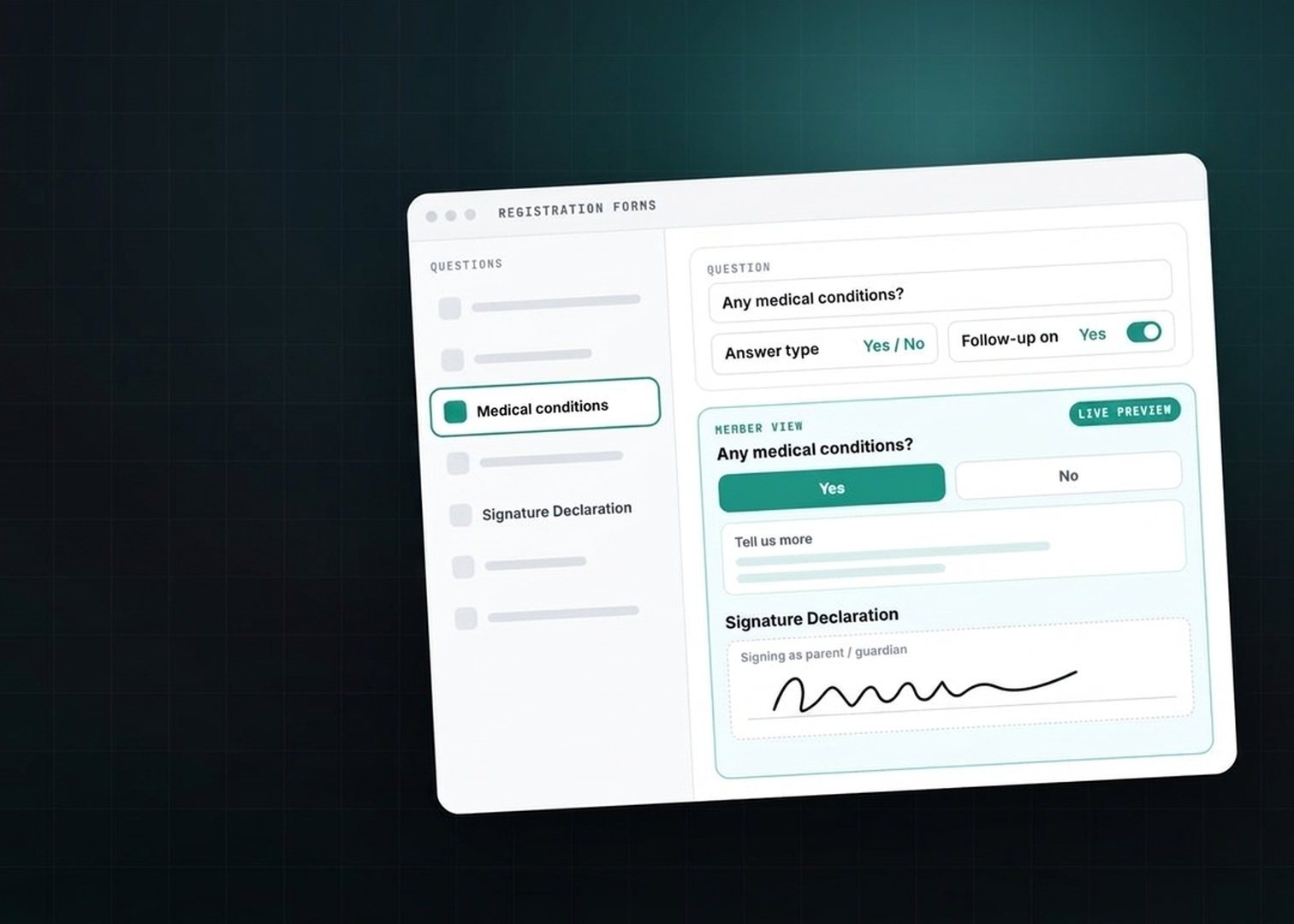
The new editor puts your questions down the left and a live preview on the right, so you see exactly what a member will see as you change a question. It also brings two new answer types and a quicker way to start a form.

📝 What it is

A two-pane editor for your registration questions:

  • The question rail. Your questions, in a list down the left.
  • The editor and live preview. On the right: change a question and the preview shows it as a member will see it.

It’s on for every club now. There’s nothing to switch on.

👥 Who it’s for

Membership secretaries and registration admins: whoever builds and looks after the club’s registration form.

🛠️ How to use it

1. Start from a pack, not a blank page

Open Registration Forms. Choose one of five sport-specific packs, or the PAR-Q health screening pack that suits any club. Or import the questions from a form you already have.

2. Pick a question and watch the preview

Choose a question in the rail on the left. Edit it on the right, and the live preview updates as you go.

3. Choose the answer type

The answer-type dropdown is where the two new types live:

  • Signature Declaration. Members read the statement and sign to confirm it. They can draw with a finger, mouse or stylus, or type their name in one of five cursive styles. The pad shows who they’re signing as, and once saved the signature becomes a tidy read-only tile with a Change button. Signatures are stored against the answer, ready for later review or PDF export.
  • Yes/No with a follow-up box. Choose which answer, Yes or No, opens a detail box, and write the prompt that sits above it. The setting is next to the answer-type dropdown, so you can turn it on for any question without a rebuild.
“Any medical conditions?” Yes → tell us more.

4. Change many questions at once

Apply one setting to every question currently showing, rather than going through them one at a time.

✅ What’s changed

  • The editor is the default everywhere. It’s out of early access and on for every club.
  • Choice questions behave. Option lists stay up to date, you won’t see an “unsaved changes” notice after you’ve saved, and the preview no longer pre-selects an option.
  • A signature counts as a declaration. A Signature Declaration is treated as a signed declaration everywhere declarations are counted. The bulk toggle now follows whatever filter you’ve applied rather than acting on the whole list.
  • Existing Yes/No questions are unchanged. The follow-up box only appears on questions where you turn it on.
  • Reordering keeps to your registration questions. Event-specific questions stay out of the list when you reorder.
  • Answers stay with the right question. A form submitted while you’re editing questions still lands against the right question.
  • See a pending junior’s answers before you decide. The questions their guardian answered are visible before you accept them.

Want the basics of registration forms first? See Registration Forms in the Help Centre.

Questions about the new editor? Just reach out to the team in-app.

Book a Demo  ·  Get Started Free

Our Partners

England Hockey
ECB - Play-Cricket
GB Australian Rules Football
England Hockey
ECB - Play-Cricket
GB Australian Rules Football
members nameclub role
FIRST NAME *
SURNAME *
EMAIL *
PHONE
MESSAGE *
teamo
This site is protected by reCAPTCHA and the Google Privacy Policy and Terms of Service apply.

Thanks for your message!

We will do our best to get back to you as soon as possible.